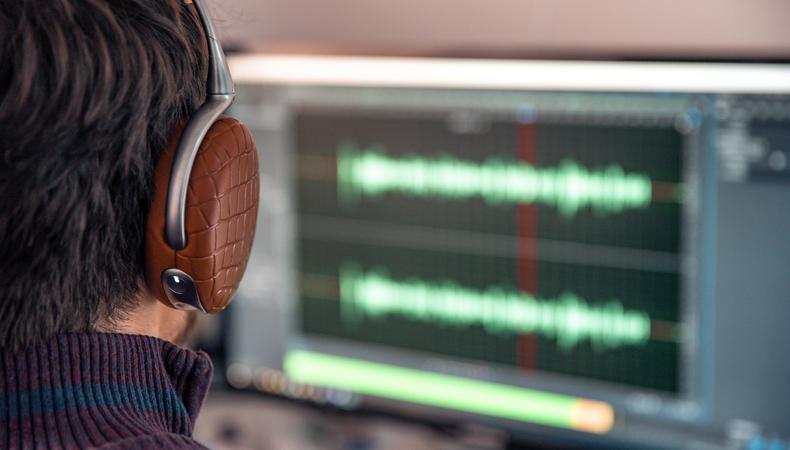
When it comes to content creation, sound is vital. What a listener hears, whether it be an audio-only format or a video, greatly influences how they perceive a piece of content. Good audio signals professionalism and builds trust between an audience and a creator—and great audio is atmospheric, immersing audiences in your project.
Audio editing is the process of selecting, arranging, cleaning, and refining recorded sound to improve clarity, consistency, and impact. At its most basic level, it involves cutting and rearranging audio clips. At a more advanced level, it includes shaping tone, controlling dynamics, removing unwanted noise, and balancing multiple sound elements into a cohesive whole.
“Good soundtracks aren’t just a question of art,” notes Jay Rose, a sound engineer and author of “Audio Postproduction for Film and Video.” “You also have to understand the science.”
Unlike visual editing, where changes are obvious, a sound editor’s job is often about invisibility. The best edits are the ones listeners don’t notice.
Audio editing isn’t limited to one creative field. The same core techniques apply across platforms and formats, making it a highly transferable skill.
- UGC creators use audio editing to stand out in crowded social media feeds and deliver clear, engaging messages.
- Podcasters rely on editing to maintain pacing, remove distractions, and create a consistent listening experience.
- Film and TV professionals depend on audio editing to support storytelling, continuity, and immersion.
- Marketers and educators use clean audio to communicate authority and professionalism.
- Music and sound designers creatively manipulate sound as an inherent part of their craft.
As content consumption continues to grow across devices and platforms, strong audio has become a baseline expectation, not a bonus.

Credit: Frame Stock Footage/Shutterstock
At a high level, audio editing involves three broad goals: removing problems, shaping performance, and creating balance. Most editing sessions move back and forth between these objectives as the editor refines the sound.
First there’s cleanup—eliminating mistakes, background noise, unwanted breaths, or technical issues. Then comes structural editing, where the editor chooses the best takes, removes awkward pauses, and tightens the pacing. Finally, there’s polishing, which involves adjusting levels, tone, and dynamics so the audio feels smooth and intentional.
These steps aren’t rigid stages but overlapping processes. You may clean up noise as you cut dialogue or adjust tone after rearranging clips. Understanding the building blocks of the workflow helps you make smarter decisions at every step.
While different projects call for different approaches, most audio editing follows a similar sequence. This workflow applies whether you’re editing a TikTok voiceover or a feature-length film dialogue track.
1. Import and organize.
The first step is bringing your audio files into editing software and organizing them clearly. This might mean labeling tracks, grouping related clips, or separating dialogue, music, and sound effects into different lanes.
Good organization saves time and prevents mistakes later. In complex projects like podcasts or film scenes, clear labeling helps you understand what you’re hearing and why it’s there. Even in short-form content, organization makes revisions faster and less frustrating.
2. Listen through and identify issues.
Before making cuts, editors typically listen to the audio from start to finish. This pass is about understanding the material—where the strongest moments are, where mistakes occur, and what problems need to be addressed.
Common issues identified at this stage include:
- Background noise or hum
- Inconsistent volume
- Mispronunciations or flubbed lines
- Long pauses or awkward pacing
This listening phase sets the roadmap for the edit. Rather than fixing everything at once, you’re deciding what needs attention and in what order. “Do as little processing as possible until the mix,” Rose advises.
3. Cut and trim.
Cutting is the most fundamental audio editing technique. It involves removing unwanted sections and tightening the timing of the audio. This could mean deleting mistakes, shortening pauses, or rearranging clips to improve flow.
In podcasting and UGC, cutting often focuses on pacing, or making the content feel energetic and focused without sounding rushed. In film and television, cutting dialogue is about continuity and performance, ensuring conversations feel natural and emotionally coherent.
At this stage, editors may also use crossfades, which are short transitions that smooth the join between two clips. Crossfades prevent audible clicks and help edits sound seamless.
4. Arrange and structure.
Once the unnecessary material is removed, the editor focuses on structure. This involves arranging clips in the correct order and shaping the overall arc of the audio.
For narrative content, structure might involve selecting the best takes and placing them for clarity and emotional impact. For podcasts or educational media, it might mean reorganizing segments to improve logic and engagement. In music or sound design, structure defines rhythm and progression.
This step is less about technical fixes and more about storytelling. The goal is to guide the listener smoothly from beginning to end.
5. Adjust levels (balance volume).
Volume adjustment ensures that all parts of the audio are audible and consistent. This process is often referred to as leveling or gain staging.
Basic level adjustments involve raising quiet sections and lowering overly loud ones so the listener doesn’t need to constantly adjust their volume. In multi-track projects like dialogue plus music, leveling ensures that voices remain clear without being drowned out.
This technique is essential across all applications. A social media video with uneven volume feels amateurish, while a film scene with poorly balanced dialogue can confuse the audience.
6. Equalize (EQ).
Equalization, or EQ, is the process of adjusting specific frequency ranges within an audio signal. In simple terms, it shapes how audio sounds by emphasizing or reducing bass, midrange, or treble frequencies.
Editors use EQ to:
- Improve vocal clarity
- Reduce muddiness or harshness
- Help different sounds sit together in a mix
EQ doesn’t change what’s being said; rather, it changes how it’s heard. Even subtle EQ adjustments can make a voice feel cleaner, warmer, or more present.
This is where the science of sound waves gets involved. But, as Rose notes, “Don’t be scared about the science part. The math is mainly stuff you learned in elementary school, and the physics is common sense.”
7. Reduce noise and clean up.
Noise reduction targets unwanted sounds like hiss, hum, air conditioners, or room tone. This can involve dedicated noise reduction tools or simple techniques like cutting silent sections and applying gentle filtering.
The key with noise reduction is restraint. Overprocessing can make audio sound unnatural or distorted. In professional workflows, editors aim to reduce distractions without drawing attention to the fix itself.
This step is especially important in UGC, remote interviews, and documentary-style work, where recording conditions are often less controlled.
8. Compress (dynamic control).
Compression reduces the difference between the loudest and quietest parts of an audio signal. Rather than making everything louder, it evens things out so dialogue remains intelligible and consistent.
In practical terms, compression helps:
- Keep voices present and steady
- Prevent sudden volume spikes
- Improve listenability across different devices
Podcasting and voiceover rely heavily on compression to maintain a comfortable listening experience. Film and television also use compression, though often more subtly, to preserve natural dynamics.
9. Add music and sound effects.
In many projects, audio editing extends beyond dialogue. Music and sound effects add mood, rhythm, and emphasis. Editing these elements involves syncing them to the timing of the primary audio and balancing them so they support rather than overwhelm.
For short-form content, music often sets energy and pacing. In film and TV, sound effects ground scenes in realism, while music shapes emotional response. The editor’s role is to integrate these elements cohesively.
10. Keep at it.
Learning how to edit audio files is less about mastering every tool and more about understanding the process. At its core, audio editing is about listening carefully, making intentional choices, and serving the needs of the audience.
By understanding the basic workflow—cutting, arranging, balancing, and polishing—you gain the ability to improve nearly any piece of content you work on. Whether you’re cleaning up a voice memo or shaping a cinematic soundscape, these foundational skills give you control over how your message is heard.
Regardless of the audio job you take on, it’s best to follow Rose’s advice: “Listen very carefully…[and] the rest is just details.”