Taking control of your image is essential for marketing your own personal brand. In addition to offering another avenue of self-expression and creativity, cultivating a strong YouTube channel that reflects your unique perspective can capture the attention of agents and connect you with other working actors and creatives.
That’s all fine and dandy, but what YouTube equipment do you actually need to get started with your channel? With the wealth of options for gear, lighting, and editing software, understanding exactly what you should invest in at the very beginning of your content creation can feel overwhelming. Luckily, we're here to lead you through these murky waters with a quick breakdown of the basic equipment you need to start a YouTube channel.
Camera
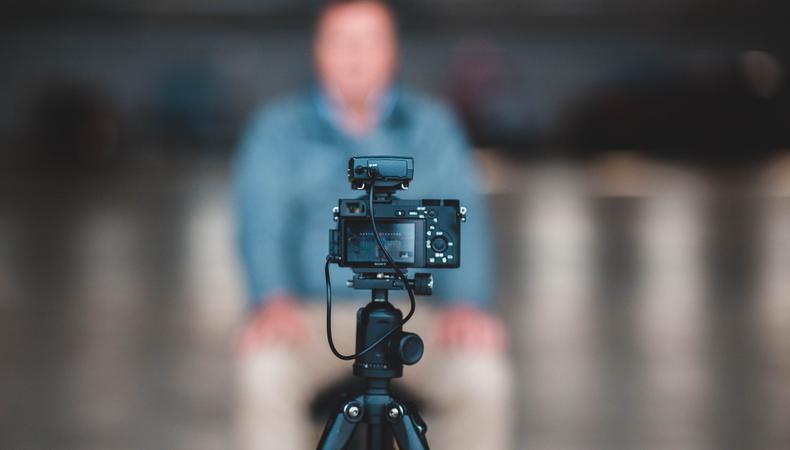
For creating any kind of social-first content, you’ll need a reliable camera that records at least 1080p. Don’t worry too much about specs if you’re just starting out, but it is helpful to invest in a camera that has auto-focus tracking and image stabilization so you won’t have to deal with manually focusing when you’re in front of the lens. That’s where the magic of DSLR (digital single-lens reflex) cameras come in. Though on the pricier side, DSLRs are a great investment for beginners looking to hone basic skills with exposure and aperture, and for professionals working photography and videography for years. They’re user-friendly, reliable, and a staple in any digital creator’s toolkit.
A few of the best entry-level DSLRs for shooting video are the classic Canon EOS 70D, the lightweight Nikon D5600, and the versatile Canon EOS Rebel T6i. These intuitive DSLRs will introduce you to the basics while facilitating your growth as a content creator. If you’re not quite ready to take the financial plunge, look to that impressive little device in your pocket; most smartphones now offer 4k video capabilities. Start there!
Tripod or gimbal
You may be tempted to create a makeshift tripod out of any stackable flat surface, but if you value your recording device in any way (and want more control in the ways you move your camera) do yourself a favor and buy a tripod or gimbal.
The type of stabilizer you purchase will depend on the content you’re looking to create. Are you more of a talk-straight-to-camera, stream-of-consciousness type? Or will you be actively vlogging your travel adventures? For a stationary camera setup, a standard tripod like the Manfrotto Compact Action Smart 61” Tripod will set you up for success with its easy-to-navigate design. If you’ll be doing more handheld work, a gimbal will be your new best friend. Try the FeiyuTech G6max Camera Gimbal or the highly-praised iPhone Gimbal Stabilizer for fluid, seamless video on-the-move.
 How to Get Subscribers on YouTube
 Microphone
While recording audio on your phone is a perfectly fine start, using an external microphone can increase the quality of your videos by ensuring crisp audio and room for more editing possibilities. Lavalier mics, like the Rode smartLav+ Omnidirectional Lavalier, are great for dialogue-focused content. If you want to capture directional sound on foot, consider a shotgun mic that plugs directly into your camera and enables hand-held camerawork, like the Rode Compact On-Camera Microphone. If you want to look beyond these options, take a look at our guide on how to choose a microphone.
Lighting
There are countless options for lighting your videos, but portable softboxes are simple and effective for creating a clean, well-produced look—just position two on either side of your camera. For a more cost-effective method, selfie rings provide a simple way to make a single subject glow. If you want dimming and color warmth options, LED lights offer versatility and can be used in a traditional photography set-up or attached to your camera like shotgun mics.
Video editing software
Adobe Premiere Pro is an editor’s dream. The software is straight-forward enough for novices to learn on, yet capable of satisfying the complex technical needs of professional projects. Much of the industry uses Premiere, so it’s wise to get familiar with it now to set yourself up for the future.
If you’d rather learn the basics of editing for free, let the reassuring hug of iMovie settle your fears. Though it doesn’t have the capabilities of Premiere, Final Cut Pro, or Avid, it’s an excellent resource for content makers at the beginning of their creative journeys.
And don’t forget to back up your work! Get a drive that has the storage to keep your video files and edits safe.
Phone accessories
Decided to use your phone to record videos? Fabulous! One stellar resource is the FiLMiC Pro App, which nearly turns your phone into a professional camera. Especially for phones with 4k capabilities, this app works wonders to make your content look positively cinematic. Control your exposure, frame rate, resolution, white balance, focal length, aspect ratio, and more within the app. You can also try lenses designed for your phone, like the Wide and Anamorphic lenses from Moment to elevate your videos’ professional quality. Lastly, a portable light will be essential for any shooting on the go.
Regardless of fancy equipment, effective YouTube channels feature actors with engaging voices and distinctive styles. If you’re overwhelmed by the countless (and usually expensive) gear options, just grab your phone and get to work! The content part of your work will be the foundation of your success: Just look at YouTube stars like Bo Burnham and Emma Chamberlain who gained subscribers without any pomp and frill. Find your voice, then expand your inventory of gear. Happy creating!
Disclosure: This post is brought to you by the Backstage team and/or a Backstage Expert. If you purchase items through these links, we get a small share of the revenue from the sale from our commerce partner.