So you’ve finished your film—congratulations! But before your indie drama, festival short, or microbudget horror masterpiece can light up a theater screen, there’s one final step: creating a digital cinema package.
What is a DCP, when do you need one, and how do you make it? Let’s dive in.
JUMP TO
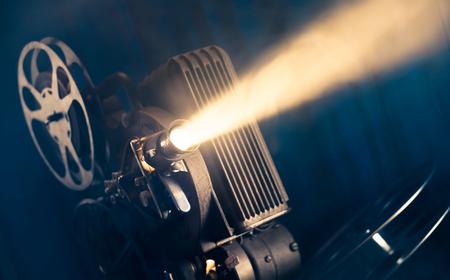
A digital cinema package, or DCP, is the standard format movie theaters use to screen films digitally. Think of it as the modern equivalent of a film print. Instead of shipping physical reels from theater to theater, filmmakers now deliver a collection of digital files that contain everything needed for projection.
RELATED: Creating a Cinema-Ready DCP for Your Film
A DCP isn’t just a video file like an MP4 or MOV. It’s a highly structured package designed specifically for cinema projection systems. These packages are created according to industry standards so that theaters can reliably play them across different projection setups and cinema servers.
When a theater or festival requests a DCP, it’s asking for a version of your film prepared specifically for professional theatrical presentation.
The biggest reason DCPs matter is simple: Most theaters are designed to play them.
While many venues may be able to screen a ProRes file, MP4, or Blu-ray disc, those formats are generally considered backup options rather than preferred delivery methods. DCPs also offer several advantages over standard video files:
- Better image quality: A DCP preserves image quality in a way that’s optimized for theatrical projection. Because it uses specialized encoding and color standards designed for cinema screens—typically JPEG 2000 image compression—the projected image is more consistent and reliable than consumer formats.
- Better audio reliability: The audio contained within a DCP is packaged in a way that works with cinema sound systems. This reduces the risk of incorrect channel mapping, missing audio tracks, or playback problems during screenings.
- Consistent playback: A theater might receive hundreds of films from different filmmakers each year. Standardizing everything through the DCP format helps ensure that films play correctly regardless of the equipment being used.
When do you need a DCP?
Not every film project requires a DCP. If your work will appear only online through YouTube, Vimeo, or on social media, you likely won’t need one. Similarly, if you’re showing your film only in classrooms or at informal events, a standard video file may be sufficient.
However, there are several situations where a DCP becomes necessary, including:
- Film festivals: Most film festivals either require DCP delivery or strongly prefer it. You may be able to submit an online screener, but if you get into a festival, it will likely ask for a DCP copy of your film.
- Independent theater screenings: If you’re organizing a screening at a movie theater, chances are it will require a DCP.
- Commercial theatrical releases: Any commercial theatrical distribution plan will require DCP creation. Whether your release spans one theater or hundreds, DCP is the industry standard. In short, if your film is going to be projected in a professional theater environment, there’s a good chance you’ll need a DCP.
Soho A Studio/Shutterstock
A digital cinema package contains much more than a single movie file. Instead, it consists of several files that work together to create the theatrical presentation. At a high level, a DCP includes:
- Picture files: These contain the visual component of the film. The image is encoded using formats specifically designed for digital cinema projection.
- Audio files: Audio tracks are stored separately and can include stereo, 5.1 surround sound, 7.1 surround sound, or other audio configurations, depending on the project.
- Subtitle files: If subtitles or captions are included, they’ll be packaged as separate elements within the DCP.
- Metadata: The package also contains information that tells cinema servers how to identify, organize, and play the film correctly.
Together, these files create a standardized package that can be loaded onto cinema servers and projected consistently across different venues. The catch? Unlike an MP4 or MOV, a DCP isn’t something you can simply open in a standard video player and review. Some specialized software can play certain DCPs, but proper quality control is still its own process.
The exact process can be highly technical, but the general workflow follows these steps.
1. Finish your film.
Before creating a DCP, your film should be fully completed.
This means:
- Picture is locked.
- Color correction is finished.
- Sound mixing is finalized.
- Titles and credits are complete.
Any changes made after DCP creation will require generating a new package.
2. Export a high-quality master.
DCP workflows begin with a high-quality master file. This master serves as the source material used to generate the cinema package.
3. Convert the film into DCP format.
Specialized software converts the video and audio into formats that meet digital cinema standards. During this process, image, audio, subtitles, and metadata are packaged together into the DCP structure.
4. Ensure quality.
After creation, the DCP should be tested to verify that:
- Audio channels are correct.
- Picture quality is maintained.
- Subtitles display properly.
- The package plays successfully.
This stage is critical because even small errors can create major screening problems.
5. Deliver the DCP.
The completed DCP is then delivered to festivals, theaters, distributors, or exhibitors through physical drives, cloud delivery systems, or specialized distribution platforms.
Can you make your own DCP?
Filmmakers can create their own DCP using software programs such as DCP-o-matic and OpenDCP. Some editing and postproduction workflows, including DaVinci Resolve and Adobe Premiere, even include DCP export functionality. For filmmakers working with limited budgets, creating a DCP independently can be a practical solution.
Professional vs. self-created DCPs
However, just because you can create your own DCP doesn’t necessarily mean you should. A self-generated DCP still needs to be tested thoroughly, which can be tricky in and of itself. Problems may not become obvious until your film is projected on a large cinema screen in front of an audience.
Professional DCP services, like FilmFreeway’s DCP offerings, specialize in preparing films for theatrical exhibition and provide quality-control checks that help identify issues before they become public-screening disasters. The cost of professional DCP creation is often relatively small compared to the overall investment involved in producing and promoting a film. When weighed against the potential consequences of a failed screening, many filmmakers view it as money well spent since professional services offer:
- Reduced technical risk: Professional technicians understand the specifications and requirements used by theaters and festivals. Rather than learning the entire process yourself, you can rely on specialists who create DCPs regularly.
- Quality control: One of the biggest benefits is quality assurance. Professional providers typically inspect the package to identify technical issues that might otherwise go unnoticed.
- Time savings: Filmmakers already juggle writing, directing, editing, sound, color, marketing, submissions, and distribution. Outsourcing DCP creation can allow you to focus on the creative and business aspects of releasing your film rather than on troubleshooting technical delivery requirements.