You might open Facebook just to check a friend’s birthday…and resurface three hours later having watched a parody clip, joined a filmmaking group, and bought a suspiciously inexpensive bookshelf. That variety is the appeal of the platform: Your work can become part of someone’s everyday scroll, whether they came looking for entertainment, advice, or something happening nearby. Here’s how to use Facebook as a performer, from setting up your account to figuring out what deserves a place in your audience’s feed.
JUMP TO
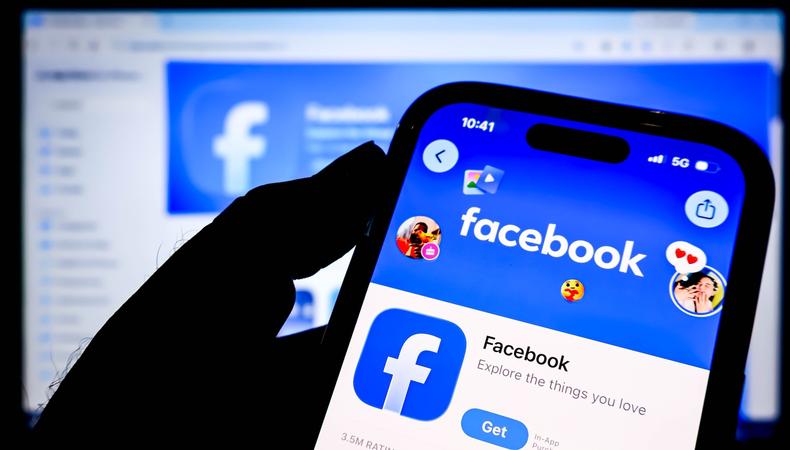
Facebook is a social networking platform owned by Meta where people share posts, watch videos, follow other users, and gather around common interests. People log on every day to keep up with friends, exchange recommendations, join communities, and organize events, and the platform’s Marketplace lets eligible users buy and sell items. A savvy Facebook user might combine several of those features: A comedian can publish sketches on their profile page, announce an upcoming show through an event, and discuss comedy with people in a local group.
Heading into 2027, Facebook offers over 3 billion monthly active users, who can be reached through recommended content, conversations in groups, and content-specific publishing options. Users can discover your content without knowing your name, follow you for more, and become increasingly engaged with your projects or services.
Still, a large platform isn’t automatically the right platform. Before going all-in on Facebook, consider whether your intended audience gathers there and you enjoy the formats and conversations you find. An acting teacher with practical advice, a musician with performances to share, or a filmmaker building a local community will have different needs. Try searching your niche to discover the users, groups, and discussions already active around it.
1. Create an account and fill out your profile.
Download the Facebook app or visit Facebook.com, then select the option to create an account. Follow the prompts to provide your name, birthday, email address or mobile number, and other required details. Create a password and confirm your email or phone number when prompted. Facebook’s account setup instructions explain the process.
Once you’re in, add a recognizable profile photo and short introduction. For a performer, a clear headshot and a description in plain language of your work will usually communicate more than a bio full of mysterious emojis. Include a website or portfolio link if available.
Review your privacy and security settings. Choose who can see your personal information, review the audience for your posts, and enable two-factor authentication. Remember: You can build a public creative presence without making every family photo part of the campaign.
Facebook changes its menus, and options can vary by device and account. Treat the steps here as a route through the essentials; the labels on your screen may differ.
2. Choose between a profile, pro mode, and a Page.
Some of these terms may sound interchangeable until you try to use them. Here’s how they differ:
- Personal profile: Represents you as an individual. It’s where you add friends, share updates, and participate in Facebook.
- Pro mode: Adds tools to your profile. As Meta explains, it lets pro mode users build a public following using their existing profile and access tools such as the Creator Dashboard. You can still choose the audience for individual posts. To turn it on, open your profile’s options menu and find the pro mode setting.
- Page: A separate public presence for a business, brand, organization, or public figure. You manage it through your account and can give other people access to help run it. To create one, look for Pages in Facebook’s menu, select the creation option, and follow the prompts to add a name, category, and description.
If you’re building an audience around yourself, pro mode may be the simplest starting point. If you’re launching a production company, podcast brand, or project with collaborators, the Page option may suit the job better. For a closer look at monetizing content, see our guide to becoming a digital creator on Facebook.
3. Understand friends, follows, likes, and shares.
Before posting, learn the basic actions your audience can take:
- Add friend: Sends someone a request to connect. Friendship requires acceptance, which sets it apart from following a public creator.
- Comment: Adds a written response beneath a post, where other people may reply.
- Follow: Subscribes someone to updates from a Page or a profile that supports public followers. Following doesn’t guarantee you’ll see every post.
- Like or react: Responds to a particular post. Tap Like for the familiar thumbs-up, or press and hold to choose another reaction.
- Save: Bookmarks content so you can find it again.
- Share: Passes a post along through available options, such as sharing to your own feed or sending it in Messenger. The original post’s audience settings still apply.
Since a user can view your content and keep scrolling without subscribing to it, give anyone who sees your posts or visits your profile a clear sense of what you offer to encourage them to follow you.
4. Learn your way around Feeds and Reels.
Your Feed is the main and default scrolling stream of posts you’ll see when you open Facebook. It combines content from connections and communities with recommendations and ads and isn’t simply a chronological list of everything posted.
If you’re used to TikTok’s For You page, Facebook’s recommended posts act similarly. But “FYP” isn’t a tab in Facebook. Discovery happens across the Feed and Reels, alongside content from people you already follow. According to Meta’s explanation of ranking, its systems combine multiple predictions to estimate what someone will find relevant, including whether they might share a post. No single action determines distribution.
Reels is the video destination in Facebook. In June 2025, Meta announced the unification of video publishing under Reels, with no length or format restrictions.
You can also use Facebook’s search to find creators, topics, groups, and events. Check the Feeds list to browse recent posts from designated favorites, your connections, or communities organized around shared interests.
Once you understand the basics, publishing is straightforward. The main decisions are about what you’re sharing, where you’re sharing it, and who you want to see it.
Publish a text, photo, or link post: Start in the main Feed or on your profile. If you’re publishing for a Page, switch to that Page first so your personal account doesn’t publish company content.
- Open the composer. Select “What’s on your mind?” or the create-post option.
- Add your content. Type an update, select photo/video to upload media, or paste a link. You can share text without attaching media.
- Add context. Explain what the audience is looking at and why it matters. Tag relevant people or add a location when appropriate.
- Check the audience. When posting from a profile, options may include Public, Friends, or a more limited audience. Public content can reach people beyond your friends, while a restricted post doesn’t become public just because someone shares it beyond the audience you designated.
- Review and publish. Check spelling, links, media, and the identity you’re posting as, then select Post or the equivalent publishing button.
After publishing, use the post’s options menu to find editing or deletion controls. Review the published result to ensure it looks as you expect, especially if your post includes a preview image or multiple photos.
Publish a Reel: Open Facebook’s creation menu and choose Reel. Record in the app or upload footage you’ve already made. Use the available tools to trim clips and add text, captions, or audio. Preview the result before moving to the publishing screen, where you can add a description and review the audience. Then share it.
For a beginner, the goal is simple: Make it understandable immediately. Show the finished costume before explaining how you built it. Start the comedy scene before delivering a biography of its characters. Add captions when speech carries the story.
Most importantly, be careful! Use footage and audio you have permission to publish. Music availability and permissions can differ depending on account type and use, so a song appearing in a tool shouldn’t be treated as blanket clearance for every commercial project.
Share a story: Stories are temporary updates that, according to Facebook’s Stories guidance, remain visible to your selected audience for 24 hours.
Select Create story, choose or capture your photo or video, and use the available text, sticker, or editing tools. Check the privacy setting and share.
Stories work well for informal moments: picking up your morning coffee at your favorite local spot, showing up to rehearsal, answering a quick question, or heading to a Broadway show.
Explore live video, groups, and events: Live video lets eligible accounts broadcast in real time while viewers react and comment. Look for live video in the creation tools and check Facebook’s current eligibility requirements before planning a broadcast. Test your connection, lighting, and sound, and give the session a clear subject.
Groups have their own posting spaces and rules. Join relevant communities, read the guidelines, and contribute before promoting yourself. A helpful answer about self-taping is a better introduction than dropping your reel into an unrelated conversation.
Events give a performance, screening, workshop, or other function a dedicated listing. Include dates, times, location details, and a ticket or registration link when appropriate. Treat the event listing as information people can return to, rather than expecting one announcement to do all the work.
There’s no universal winning format. The following approaches are examples of starting points with a clear reason to watch, respond, or share.
Demonstrations that teach something specific: Take musician Andrew Huang’s video making beats with children’s toys: The objects establish an accessible premise, while the musical result gives viewers a payoff. A strong tutorial makes a small promise and delivers it. For performers, that might mean showing how to light a self-tape with equipment you already own. You don’t need production expertise to understand the challenge.
Relatable comedy with a recognizable point of view: Penn and Kim Holderness’ music and comedy videos as the Holderness Family draw material from everyday experiences, including family life and generational quirks. The couple’s work illustrates how performance skills can turn familiar frustrations into a repeatable creative premise. Relatability gives the joke somewhere to land. Think about who might send the post to someone else. The more easily a viewer can recognize the situation, the more likely they are to imagine a friend who will recognize it, too.
Processes with a payoff: Foodie Jordan Hanger’s Ninjacue video about a brining process demonstrates the power of building content around preparation and an eventual outcome. The performer’s equivalent might be a makeup transformation, a prop build, or the progression from an early dance rehearsal to the finished combination. Give the audience enough context to understand the work; a close-up of your sewing machine becomes more interesting when viewers know you’re repairing a costume before the curtain rises.
Stories that welcome newcomers: Behind-the-scenes content can help audiences understand the person behind the finished work. But “behind the scenes” still needs a story. Instead of assembling unrelated clips from your day, follow a question or topic that ties things together. Assume some viewers have never seen you before. Explain the situation without requiring them to catch up on your entire career. And get permission before sharing collaborators, rehearsal footage, or material from a production.
Posts that invite a conversation: A photo, written observation, or genuine question can give people a reason to participate without requiring a video.
An acting coach might ask which part of preparing a self-tape students find hardest, then address the recurring answers in a future post. A filmmaker could share production stills and explain the compromise behind a difficult shot. Keep in mind that there’s a difference between inviting people into a conversation and manufacturing activity. Meta says it is reducing distribution for spammy behavior, including unrelated captions and attempts to game engagement. Give people something worth responding to, then respond when they do.
- Make original work: Meta’s originality guidance favors content that users film or produce themselves, along with third-party material they meaningfully transform by adding new information or analysis. Reposting someone else’s video with minor changes isn’t a sustainable foundation.
- Give your account a clear purpose: Choose an audience and a reason they might return. You can experiment without making every post feel as though it belongs to a different person.
- Use your own results to guide your schedule: Start with a routine you can sustain, then compare what happens across topics and formats. Our guide to the best times to post on Facebook offers a starting point; your audience’s behavior should inform what you try next.
- Match the metric to the goal: Watch time can help you assess a video’s ability to hold attention. Comments can reveal questions. Link activity may matter when you’re promoting a workshop. A post that sells tickets and a post that entertains strangers don’t need to succeed in the same way.
- Understand the routes to earning: Publishing doesn’t automatically generate income. Check your dashboard for eligibility and explore our guide to getting paid for Facebook Reels alongside Meta’s current monetization information, since programs change. Creating paid content for brands is another route; browse Facebook UGC jobs to see what employers are looking for.
You don’t need to master every feature before publishing. Set up a clear profile or Page, learn where your intended audience gathers, and make something useful or entertaining enough to start a conversation. Facebook gives you plenty of places to show up. The creative work is giving people a reason to come back.